
Starting Your Day — Shift & Day Checks

Updated: Oct 13
Before you can record any data in GneissFox, you need to start your day's shift. This creates a single daily record that covers every location you work on that day.
This guide covers the Start of Day form and the Location Check that follows.
Why Start a Shift?
The shift is the backbone of your daily record. It captures who was on site, what role they performed, and when work began. All data you log during the day — samples, drill runs, geology descriptions — is linked back to this shift.
Without starting a shift, you cannot create new locations or enter any data.
The Start of Day Form
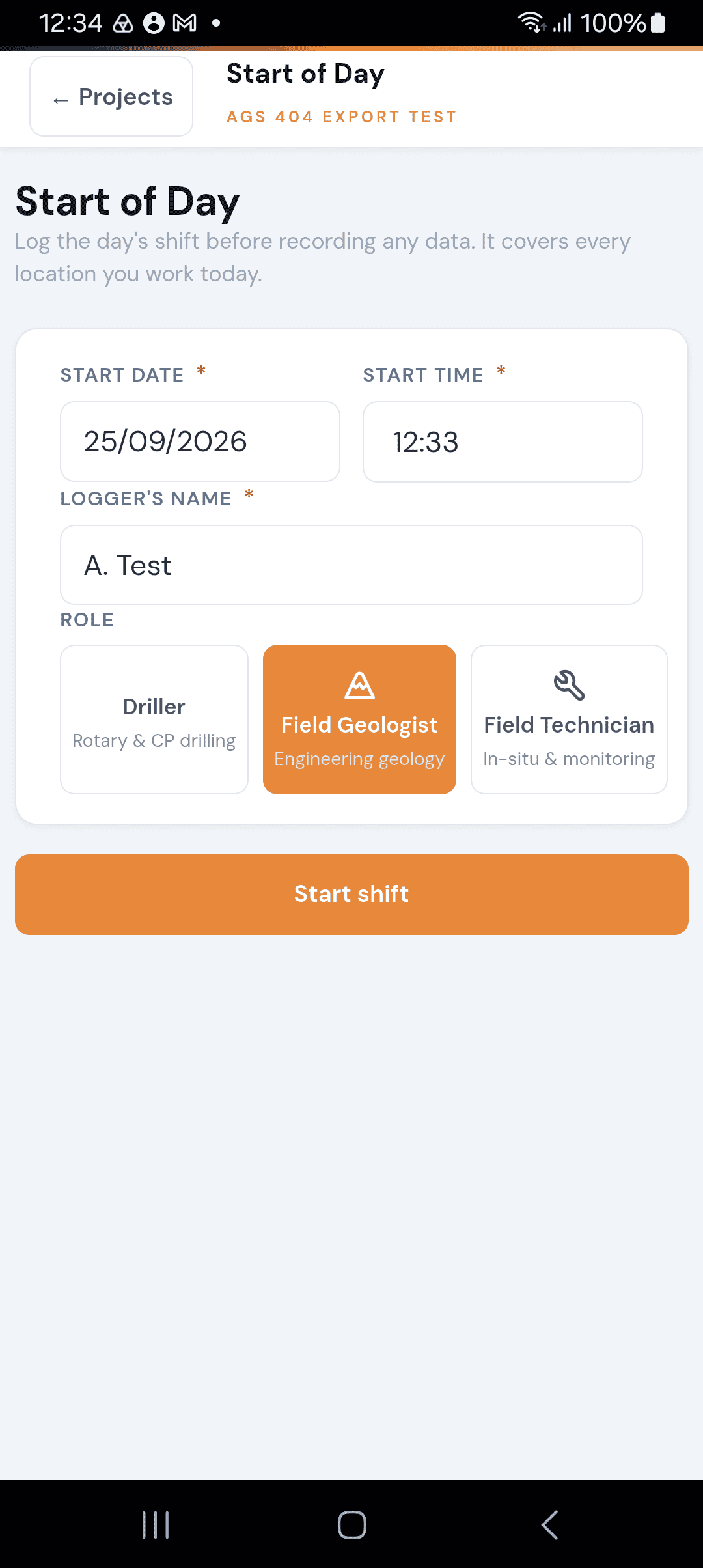
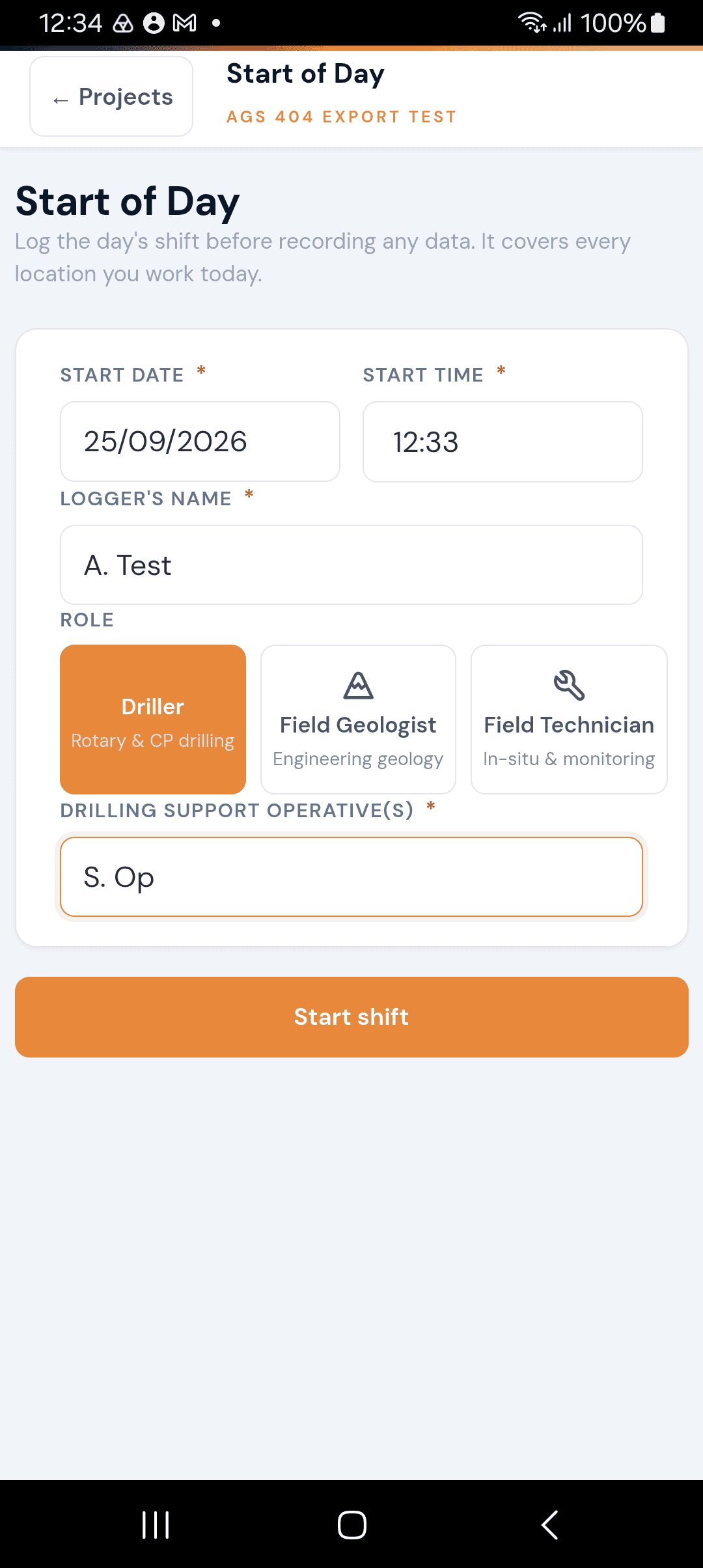
When you open a project, the Start of Day form appears automatically if no shift is active for today. Here's what each field means:
Start Date
The date for this shift. Defaults to today's date in dd/mm/yyyy format. You shouldn't normally need to change this unless you're logging a shift retrospectively.
Start Time
The time work begins. Defaults to the current time in HH:MM format. Set this to when you actually arrived on site.
Logger's Name
Your full name as it should appear on the daily record sheet. This is a required field.
Role
Select the role you're performing today. This determines which forms and features are most relevant to you:
Item | Description |
|---|---|
Driller | For rotary and cable percussion drilling operations. |
Field Geologist | For engineering geology logging and descriptions. |
Field Technician | For in-situ testing and monitoring work. |
Drilling Support Operative(s)
This field only appears when you select the Driller role. Enter the name(s) of your support crew. This is required for drillers as it forms part of the daily drilling record.
Once all fields are filled in, tap Start shift to begin your day.
Stale Shift Warning
If a shift from a previous day is still open (i.e. you didn't end it properly), GneissFox will show a warning banner at the top of the Start of Day form.
You'll need to end the old shift before starting a new one. Tap the End & continue button to close the previous shift, then proceed with today's.
Location Check (Start of Day)
After starting your shift, when you begin work at a specific location (borehole, trial pit, etc.), GneissFox asks you to complete a Location Check. This records the conditions at that location at the start of the day.
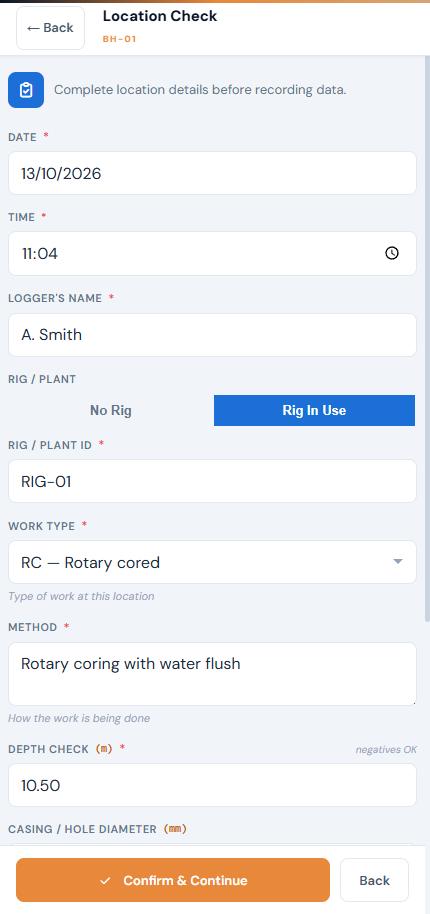
The Location Check opens as a full-screen form. Fill it in from top to bottom; Confirm & Continue stays at the bottom of the screen.
Field Technicians: if you started your shift as a Field Technician, the Location Check is skipped and you go straight into the location to record your monitoring data.
Date and Time
Pre-filled from your shift. Adjust if you arrived at this particular location at a different time.
Logger's Name
Pre-filled from your shift.
Rig / Plant
Toggle between No Rig and Rig In Use. If a rig is in use, enter the Rig or Plant ID (e.g. RIG-01). This is required when a rig is active.
Work Type
Select the type of work being carried out at this location from the AGS standard list. This classifies the activity for the daily record.
This is pre-selected to match the location type, but you can change it.
Method
Describe in your own words how the work is being done at this location, for example "Hand dug with insulated digging tools" or "Rotary coring with water flush". This is required, and it appears on your Daily Record Sheet.
Depth Check
Enter the current depth of the hole in metres. This is the depth at the start of the day — it provides a baseline to compare against end-of-day depth.
Casing / Hole Diameter
Enter the casing or hole diameter in millimetres if applicable. This is optional but useful for the daily record.
Casing Depth
The depth of casing in the hole at the time of the check, in metres. Optional. For drillers, the casing depths recorded at the start and end of each day appear in the drilling progress (AGS PTIM) group of your export.
Water Status
Toggle between Dry and Water Present. If water is present, enter the water depth in metres. This is required when the hole is not dry.
Weather
Select the current weather conditions. Options include Fine, Cloudy, Rain, Windy, Frost, Snow, Fog, and Storm.
Remarks
Any additional notes about the location at the start of the day. This is optional.
Once complete, tap Confirm & Continue to save the location check and begin recording data at that location.
Pre-filling
GneissFox saves you time by pre-filling fields wherever possible:
If you worked at this location yesterday, today's Location Check is pre-filled from yesterday's end-of-day record.
Your logger name and shift date carry forward automatically.
Casing size is remembered from your most recent drill run or CP run at that location.
Tips
Always start your shift before travelling to your first location — the start time should reflect when you arrived on site, not when you started drilling.
If you're working at multiple locations in one day, you only need one shift. Each location gets its own Location Check.
The work type and method you enter here appear on your Daily Record Sheet, so fill them in carefully.
The end-of-day record is written automatically from this morning's Location Check. If conditions change during the day (e.g. rain starts), add a Site record or Location record on the Daily Record so the change is noted.


Comments