
Standard Penetration Tests (SPT)

Updated: Oct 13
The Standard Penetration Test (SPT) is the most widely used in-situ test in UK ground investigation. It measures soil resistance by counting the blows needed to drive a sampler into the ground, producing an N value that engineers use to assess bearing capacity and relative density.
How the Test Works
An SPT uses a standard 63.5 kg hammer dropped from 760 mm to drive a split-spoon sampler (or cone) into the soil. The test is performed in two phases:
Item | Description |
|---|---|
Seating drive | The first 150 mm of penetration (two 75 mm increments). This seats the sampler past any disturbed material at the base of the borehole. |
Main drive | The next 300 mm of penetration (four 75 mm increments). The total blows for this phase is the N value. |
GneissFox guides you through both phases and auto-calculates the N value, seating blows, and total penetration.
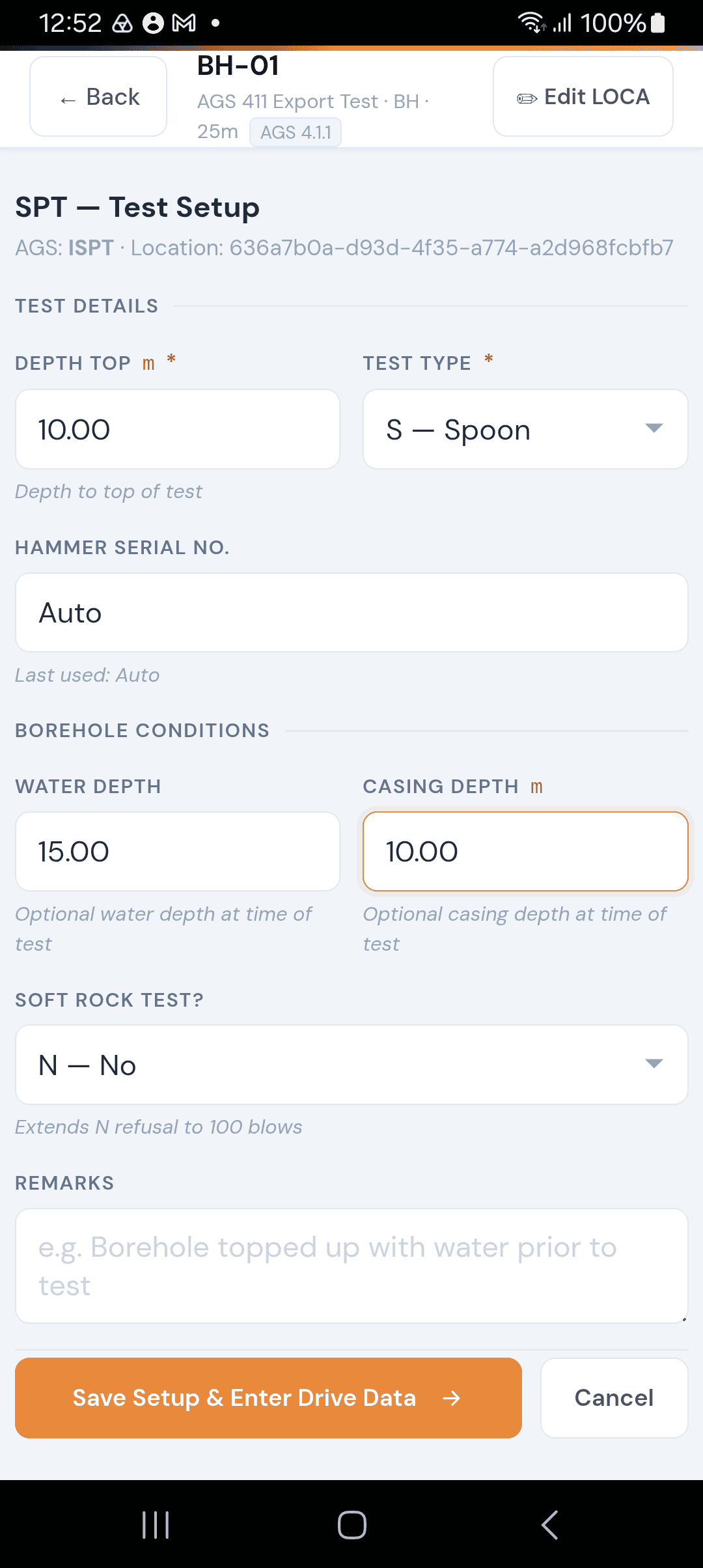
Step 1 — Test Setup
Depth Top
The depth at which the test starts, in metres. Required.
Sampler Type
Choose between:
Item | Description |
|---|---|
S — Split Spoon | The standard sampler. Recovers a disturbed (D) sample automatically. |
C — Cone | A solid cone point, used where no sample recovery is needed. |
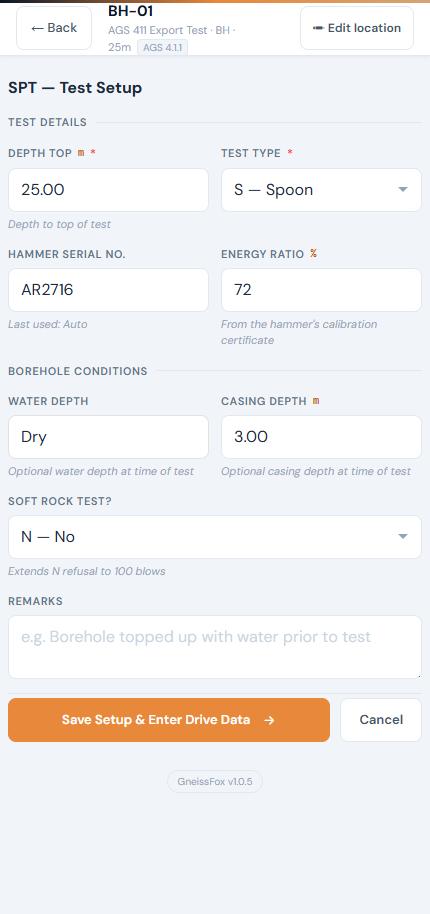
Hammer Serial Number
The serial number of the SPT hammer being used. This is important for calibration traceability. Optional but recommended.
Energy Ratio (%)
The hammer's energy ratio, as a percentage, from its calibration certificate. Optional. Like the hammer serial number, it's remembered from your last SPT, so you only need to change it when you change hammers. It's exported with the test and listed against the hammer in the key of the Drilling Log.
Water Depth
Depth to water in the borehole at the time of the test, in metres. Optional.
Casing Depth
Depth of casing at the time of the test, in metres. Optional.
Soft Rock
Toggle Y or N. This affects the refusal threshold — in soft rock, refusal is set at N > 100 instead of the standard N > 50.
Remarks
Any notes about test conditions. Optional.
Step 2 — Drive Data
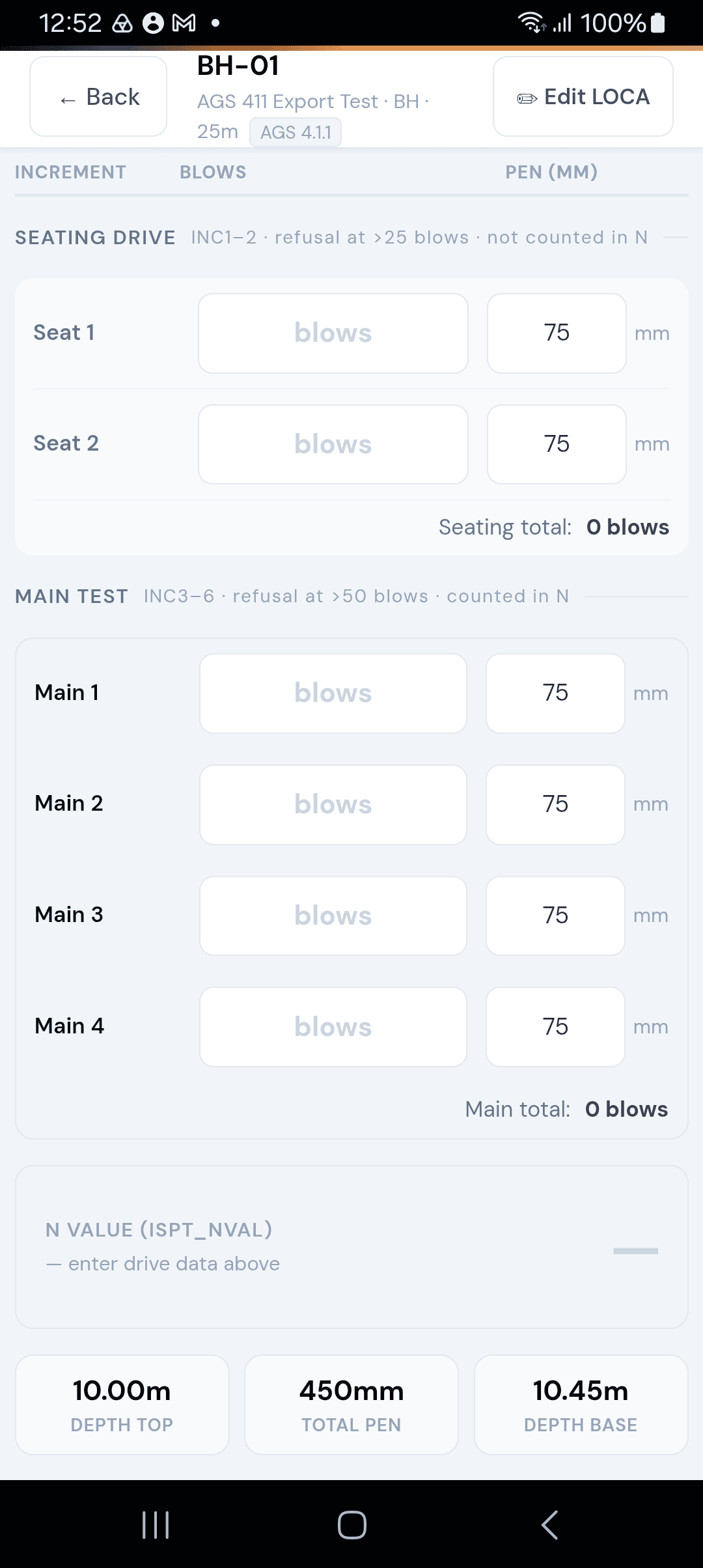
After saving the setup, you enter blow counts for 6 increments:
Item | Description |
|---|---|
Increments 1–2 | Seating drive (each defaults to 75 mm penetration). |
Increments 3–6 | Main drive (each defaults to 75 mm penetration). |
For each increment, enter:
Item | Description |
|---|---|
Blows | Number of hammer blows for that increment. |
Penetration | Distance driven in mm (defaults to 75 mm). Adjust if the increment was shorter. |
Auto-Calculations
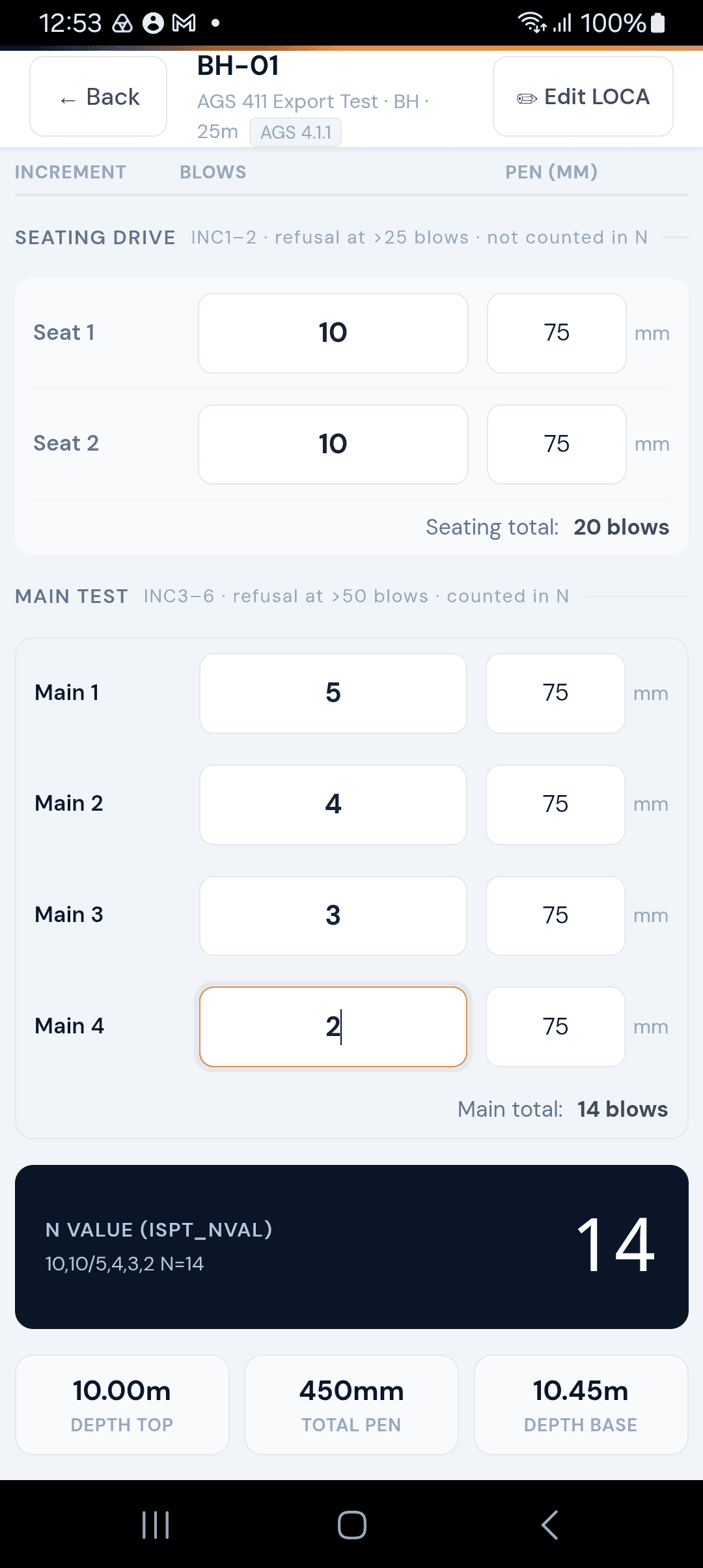
As you enter data, GneissFox calculates:
Item | Description |
|---|---|
ISPT_SEAT | Total seating blows (increments 1–2). |
ISPT_MAIN | Total main-drive blows (increments 3–6). |
ISPT_NVAL | The N value (same as ISPT_MAIN under normal conditions). |
ISPT_NPEN | Total penetration across all 6 increments. |
ISPT_REP | The standard report string (e.g. "N = 15"). |
Refusal & Partial Drives
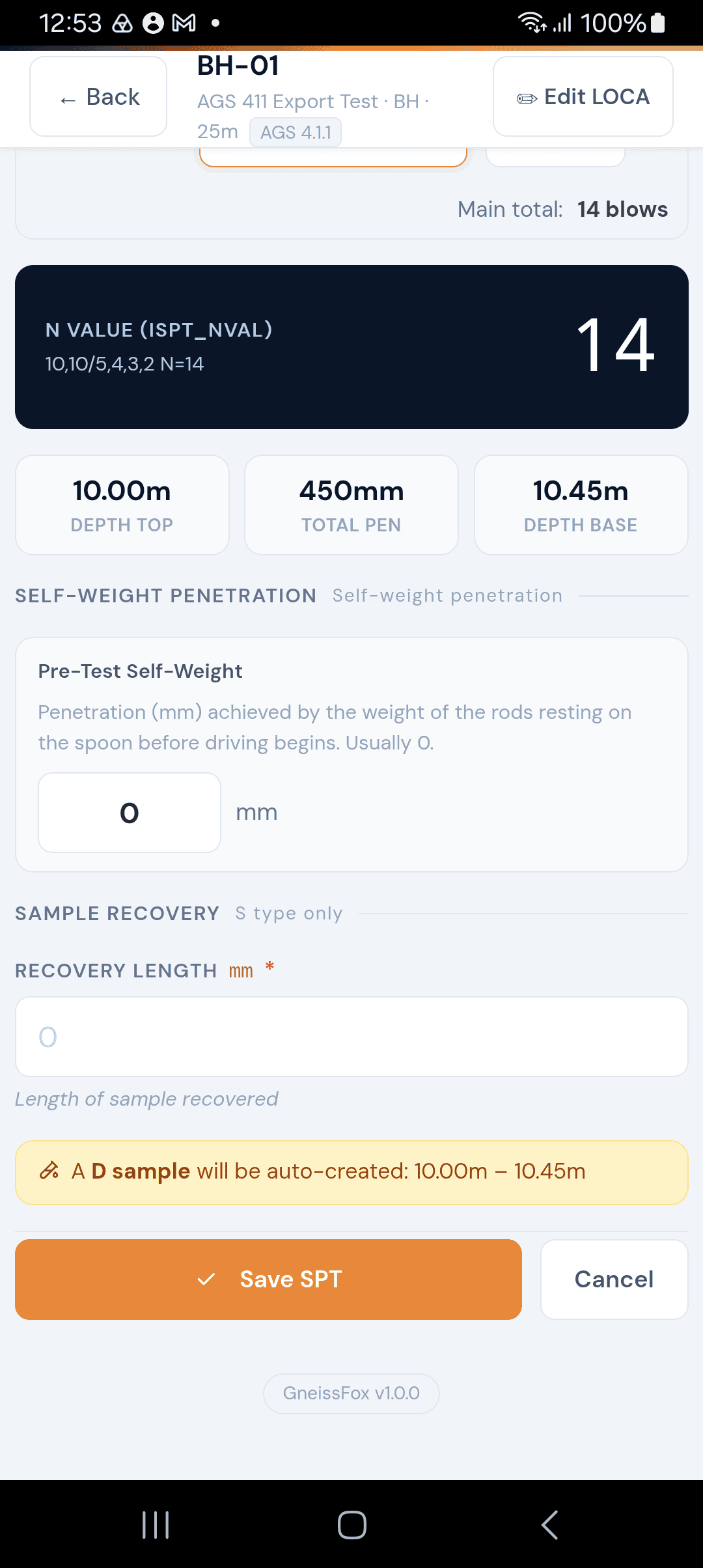
The app detects refusal automatically:
Seating refusal: more than 25 blows in the seating drive.
Main drive refusal: more than 50 blows in the main drive (or 100 in soft rock).
N value refusal: N > 50 (or N > 100 for soft rock).
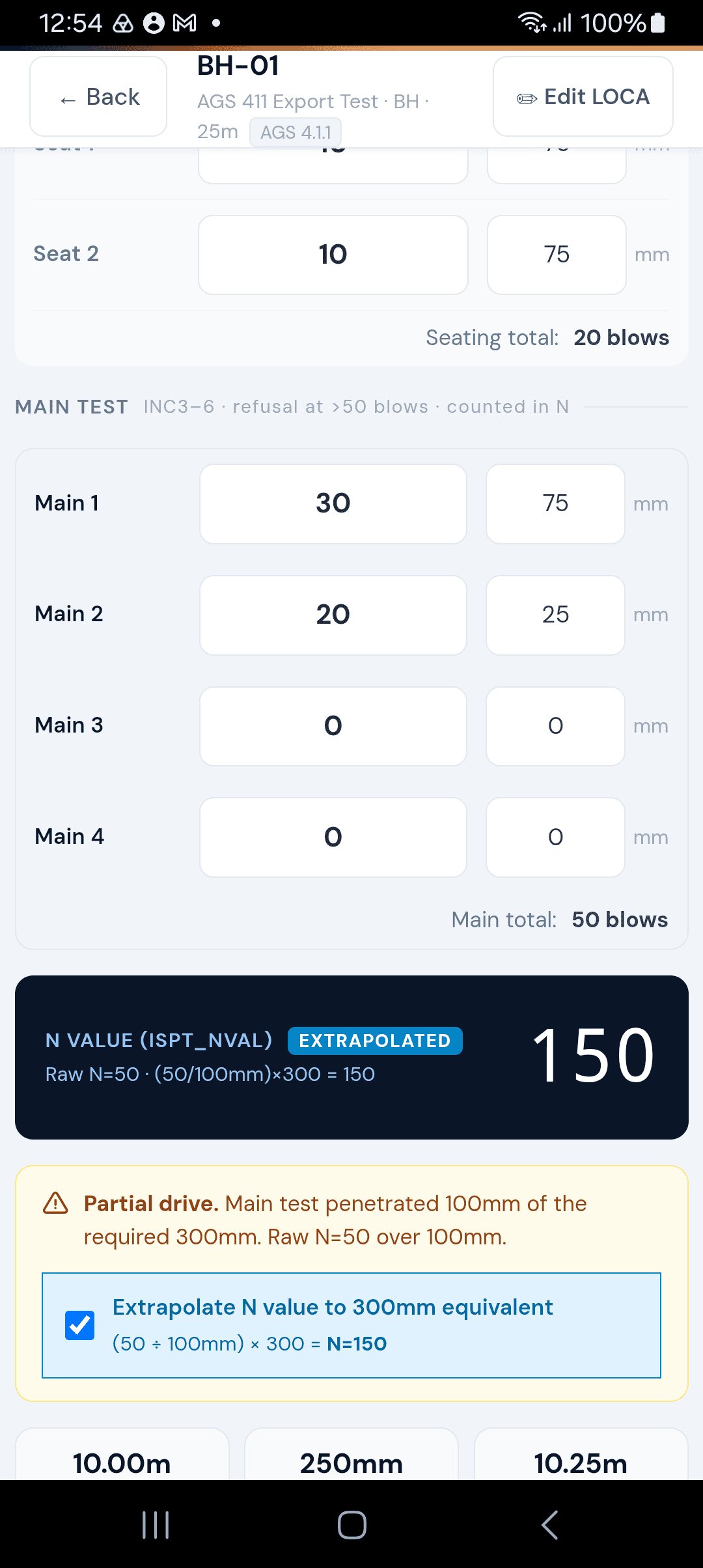
If the sampler doesn't achieve full penetration in an increment, reduce the penetration value for that increment. The app detects partial drives and offers to extrapolate the N value to a 300 mm equivalent.
Self-Weight Penetration
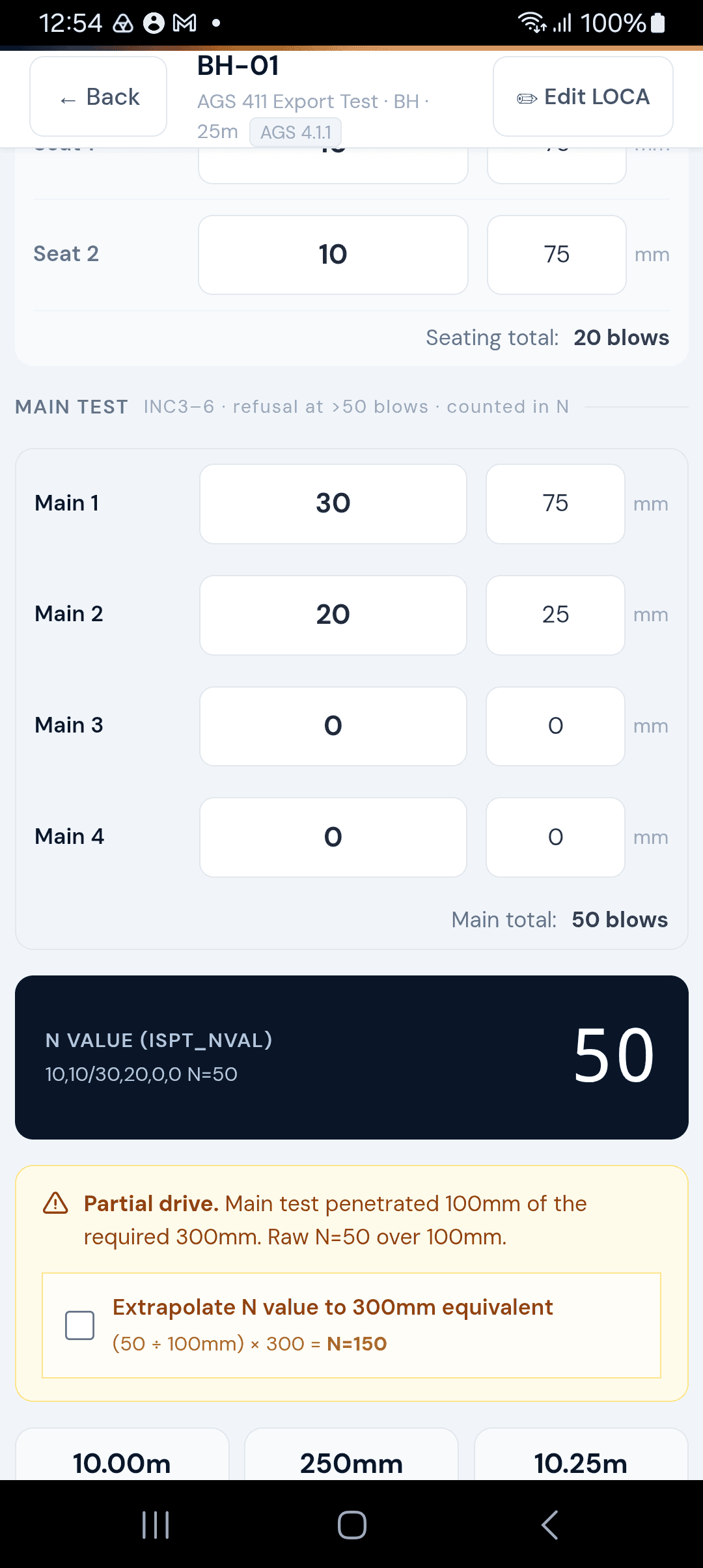
If the sampler penetrates under its own weight (before blows begin, or between increments where penetration exceeds 75 mm), this is tracked automatically. Self-weight penetration is important — it tells the engineer the soil is very soft at that depth.
D Sample Recovery
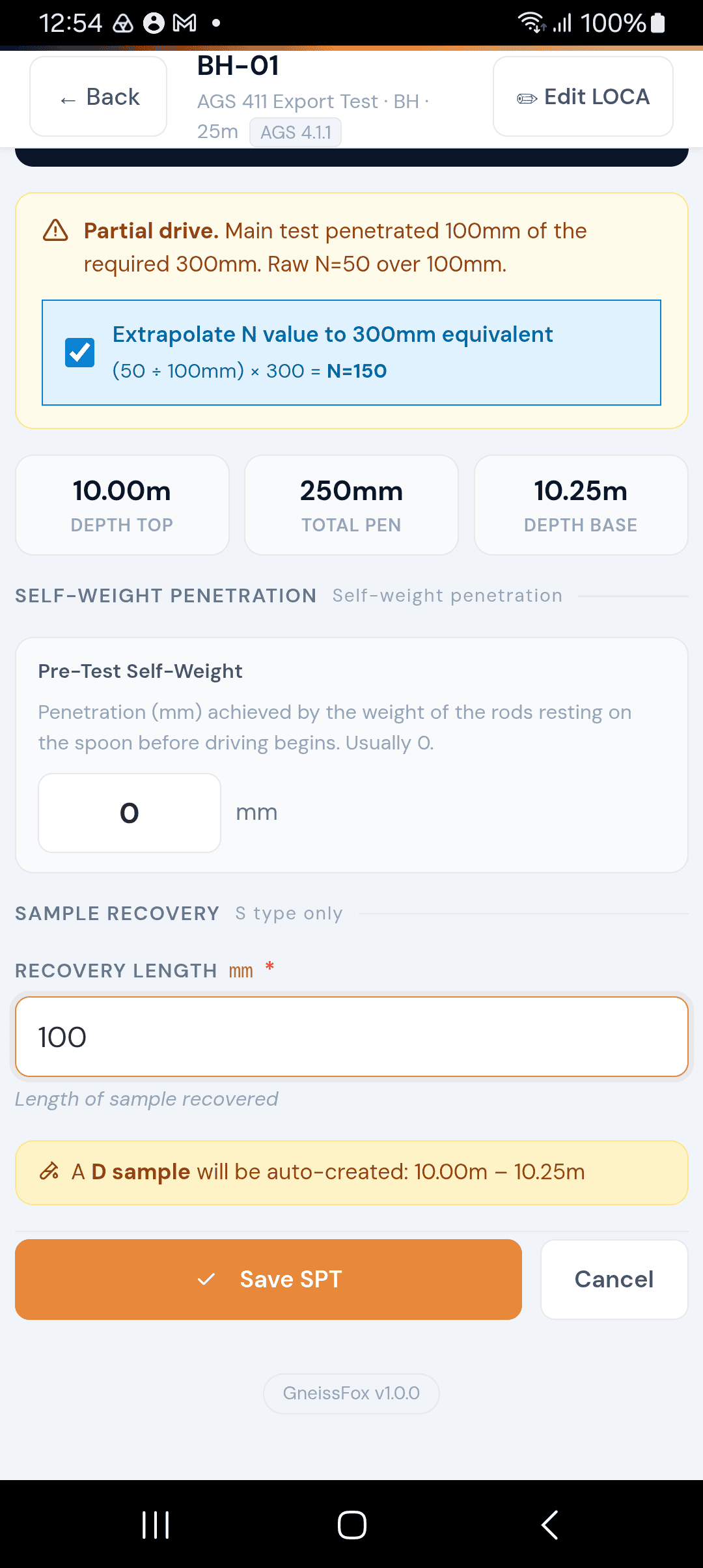
When using a Split Spoon (S type), the app automatically creates a D (disturbed) sample from the recovered material. A recovery field appears so you can record how much material was retained.
Tips
Always record the hammer serial number and energy ratio for calibration records.
If blows per increment are very high, consider whether you've hit refusal — check the refusal indicators the app shows.
The N value is the most commonly referenced result in reports. Make sure the main drive data is accurate.
Water and casing depths at the time of test are valuable context for the engineer interpreting results.


Comments