
DCP (Dynamic Cone Penetrometer)

Updated: Sep 25
The Dynamic Cone Penetrometer (DCP) is a lightweight in-situ test used to measure soil resistance in shallow ground. It is commonly used for pavement subgrade assessment and shallow site investigation.
How the DCP Works
A standard DCP uses a cone attached to a series of rods. A hammer is dropped repeatedly, and the penetration after each set of blows is measured using a ruler attached to the rod string. Each set of blows (1–10) and the subsequent ruler reading are recorded as one drive.
The form writes to two AGS groups: DCPG (test setup) and DCPT (individual drive data).
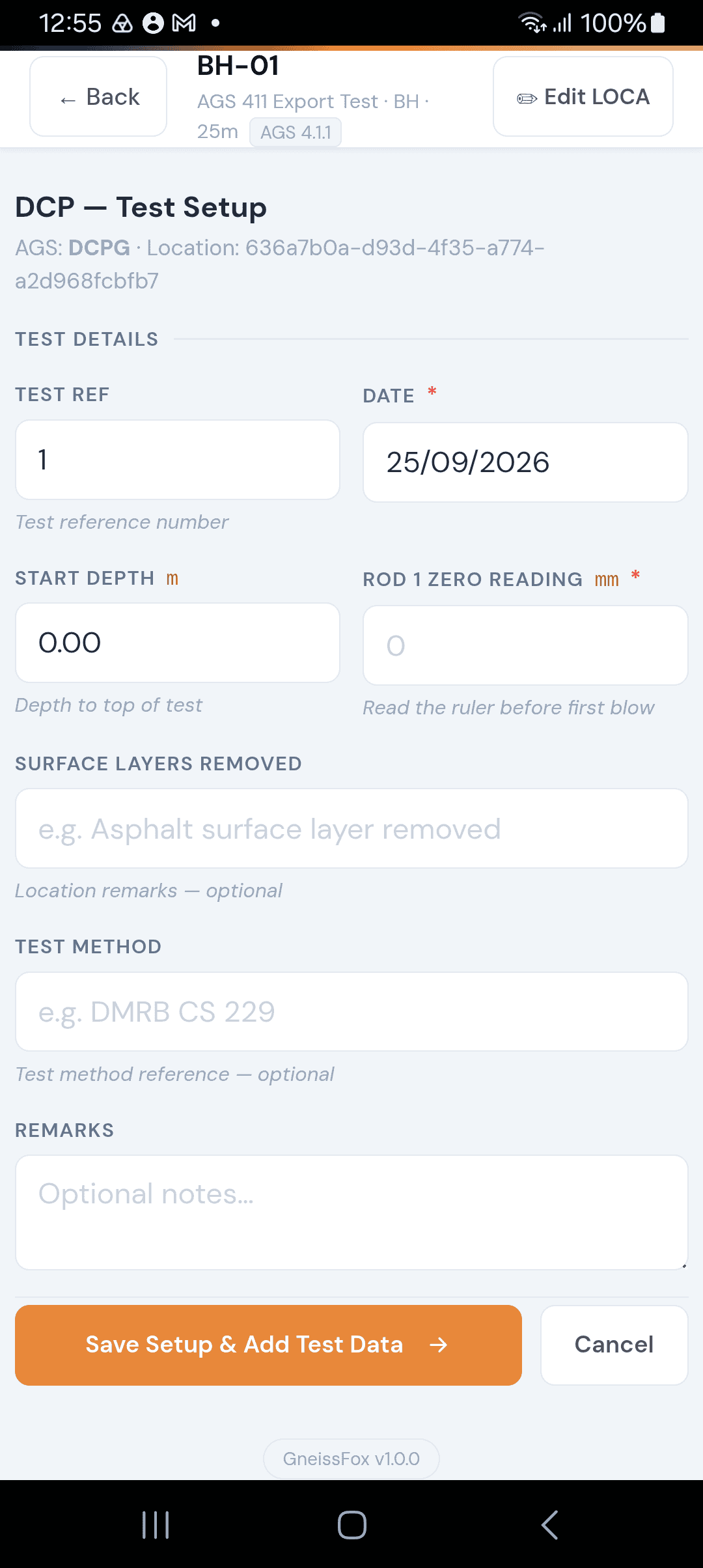
Step 1 — Test Setup (DCPG)
Test Ref (DCPG_TESN)
Auto-numbered (1, 2, 3, etc.). Editable if your project uses a different convention.
Date
Date the test took place. Defaults to today. Required.
Start Depth (DCPG_DPTH)
The depth from which the test begins, in metres. Typically 0.00 unless you've excavated to a lower starting point.
Rod 1 Zero Reading (DCPG_ZERO)
Before the first blow, read the ruler and enter the value in mm. This is the baseline from which all penetration is calculated. Required.
Surface Layers Removed (DCPG_LREM)
If any surface material was removed before testing (e.g. asphalt), describe it here. Optional.
Test Method (DCPG_METH)
The standard being followed, e.g. DMRB CS 229. Optional.
Remarks
Any additional notes about the test setup. Optional.
Step 2 — Data Entry (DCPT)
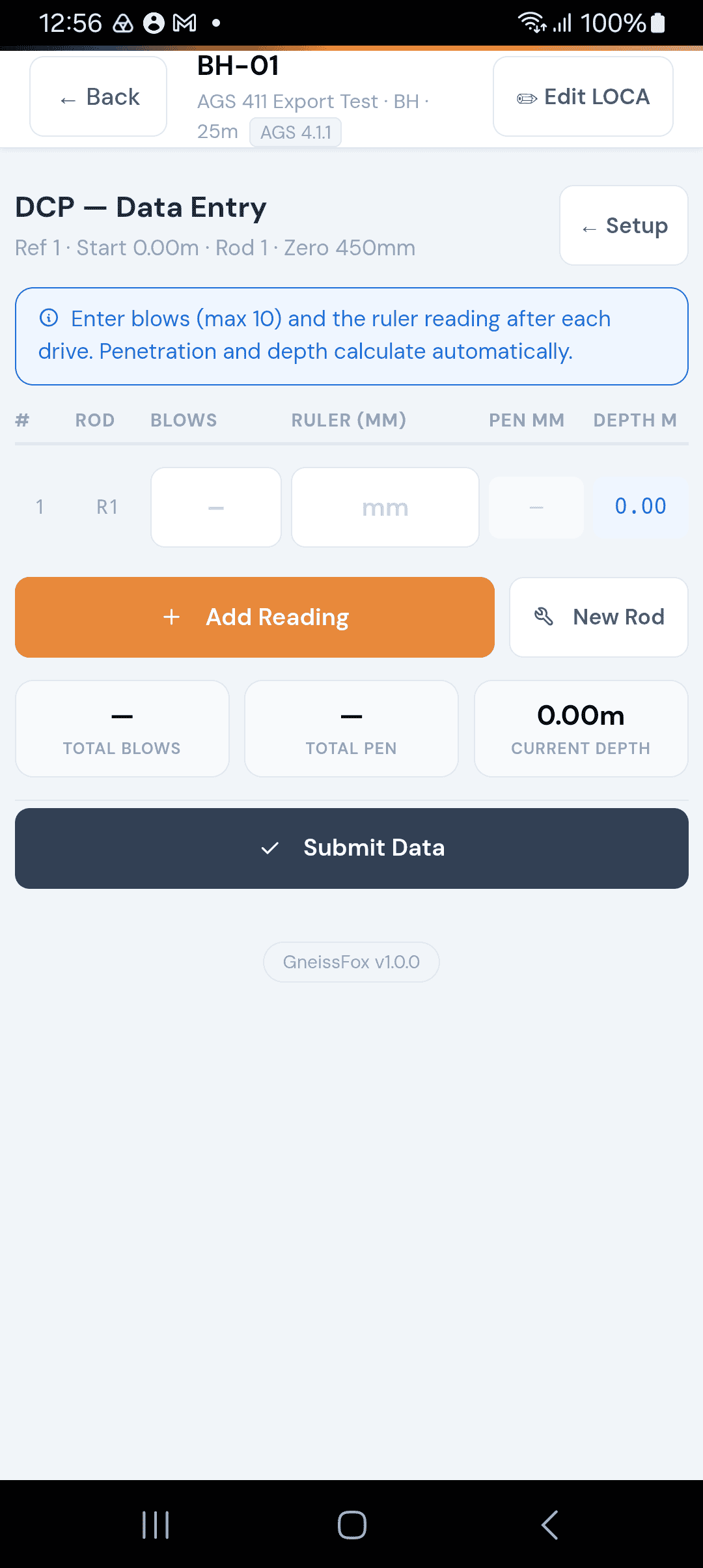
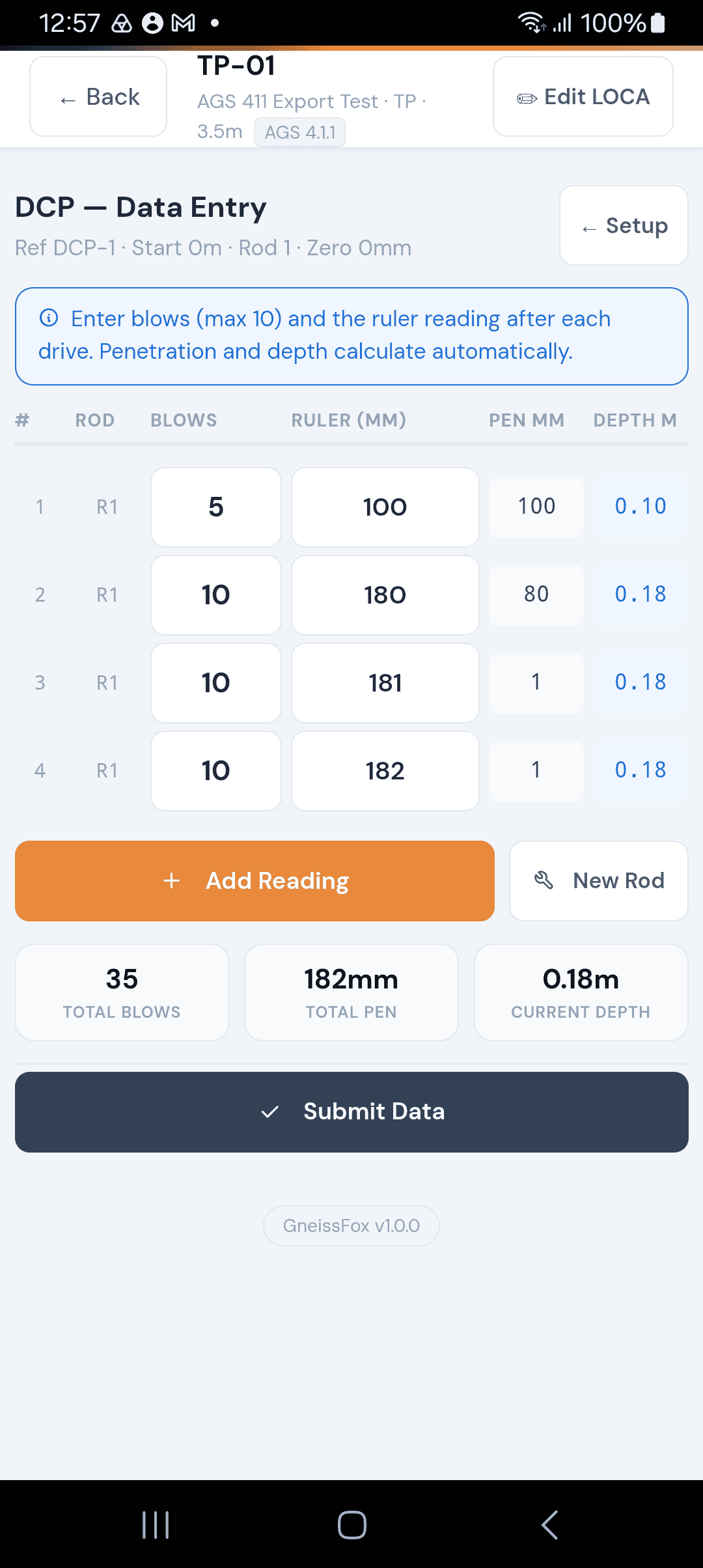
After saving the setup, you enter drive data. Each row records:
Item | Description |
|---|---|
Blows | Number of hammer drops for this drive (1–10). |
Ruler Reading | The ruler reading in mm after the blows. This is the raw number you see on the ruler. |
The app auto-calculates:
Item | Description |
|---|---|
Penetration (Pen) | The difference between this ruler reading and the previous one (or the zero reading for the first drive). |
Depth | Running cumulative depth from the start depth. |
Tap Add Reading to add more drives as you go.
Rod Changes
When you add a new rod to extend the probe, tap New Rod. A popup asks for the new rod's zero reading — re-attach the ruler to the new rod and enter the reading in mm. The app resets the penetration baseline for subsequent drives and tracks which rod each drive belongs to.
Each row shows its rod number (R1, R2, etc.) and a yellow divider appears where the rod changed.
Summary Strip
A live summary at the bottom shows:
Item | Description |
|---|---|
Total Blows | Sum of all blow counts. |
Total Penetration | Sum of all individual penetrations in mm. |
Current Depth | Start depth plus total penetration converted to metres. |
Submitting the Test
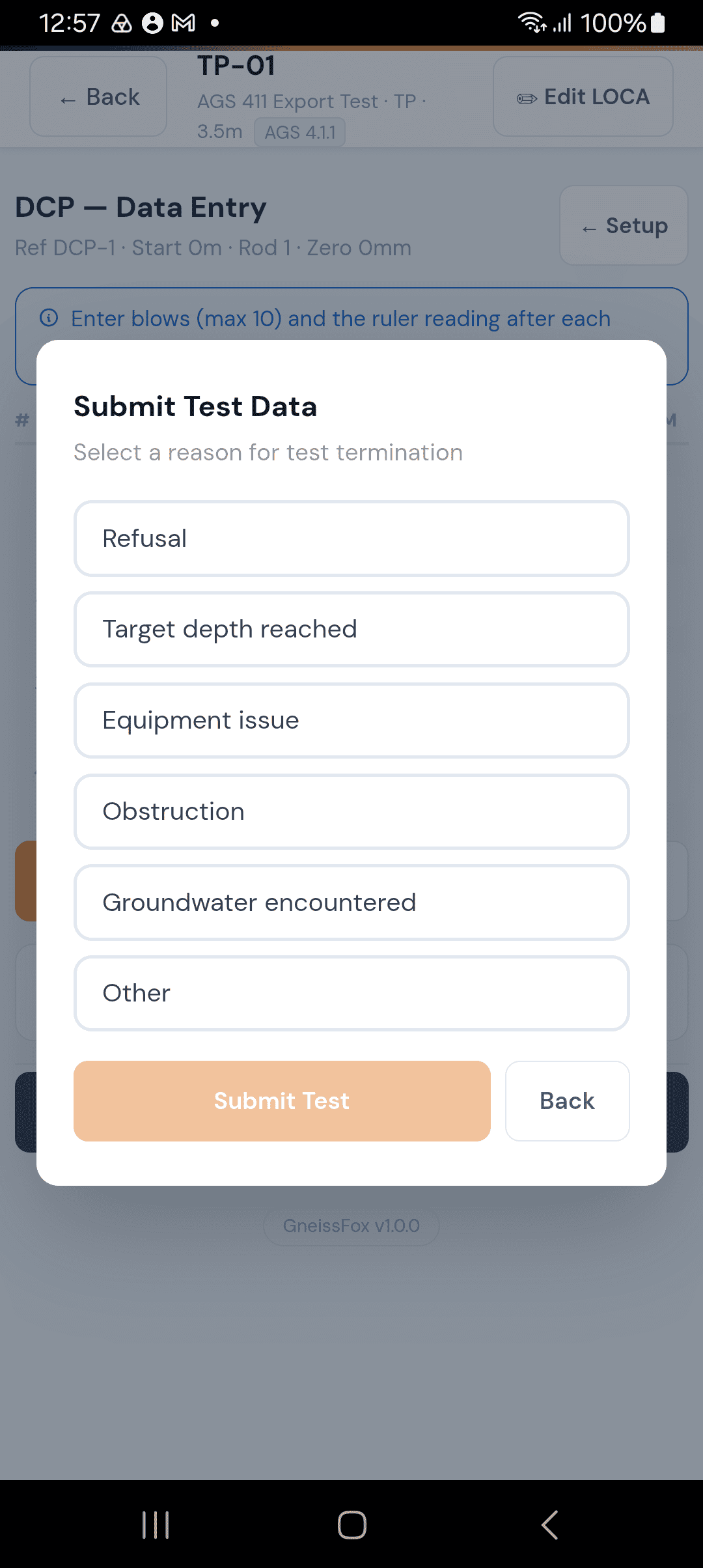
When finished, tap Submit Data. You'll be asked to select a termination reason:
Refusal
Target depth reached
Equipment issue
Obstruction
Groundwater encountered
Other (free text)
The termination reason is saved into the remarks field alongside any notes from setup.
Tips
Always take a zero reading before the first blow — the form won't let you proceed without it.
If penetration shows 'NEG' (negative), check your ruler reading — it should be higher than the previous reading on the same rod.
Record rod changes as they happen, not after the fact — the zero reading must be accurate for penetration to calculate correctly.
The DCP is most useful in the top 1–2 metres of ground. Results are typically plotted as blows per mm vs. depth.


Comments