
Creating a Location

Updated: Sep 25
Locations are the foundation of all data in GneissFox. Every borehole, trial pit, window sample, or probe needs a location record before you can log anything against it.
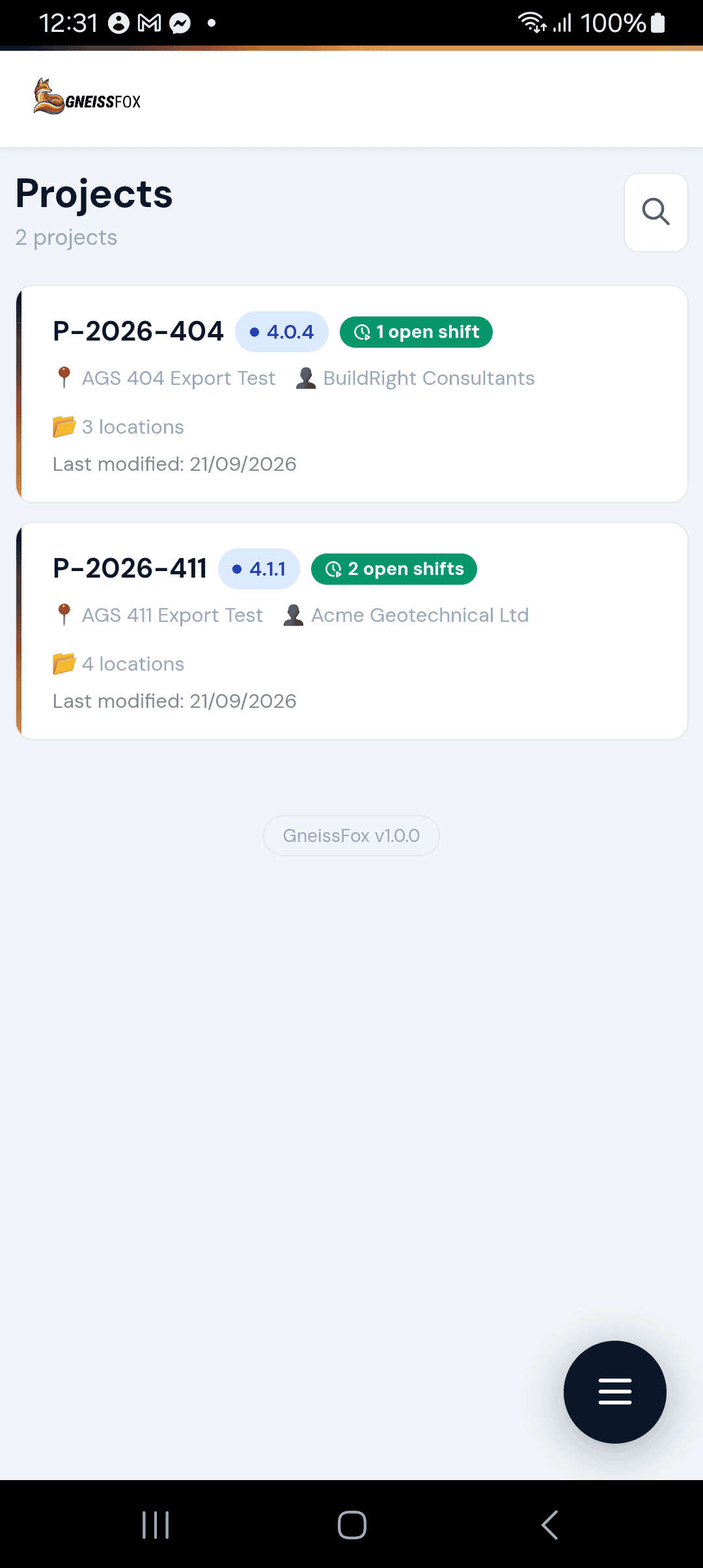
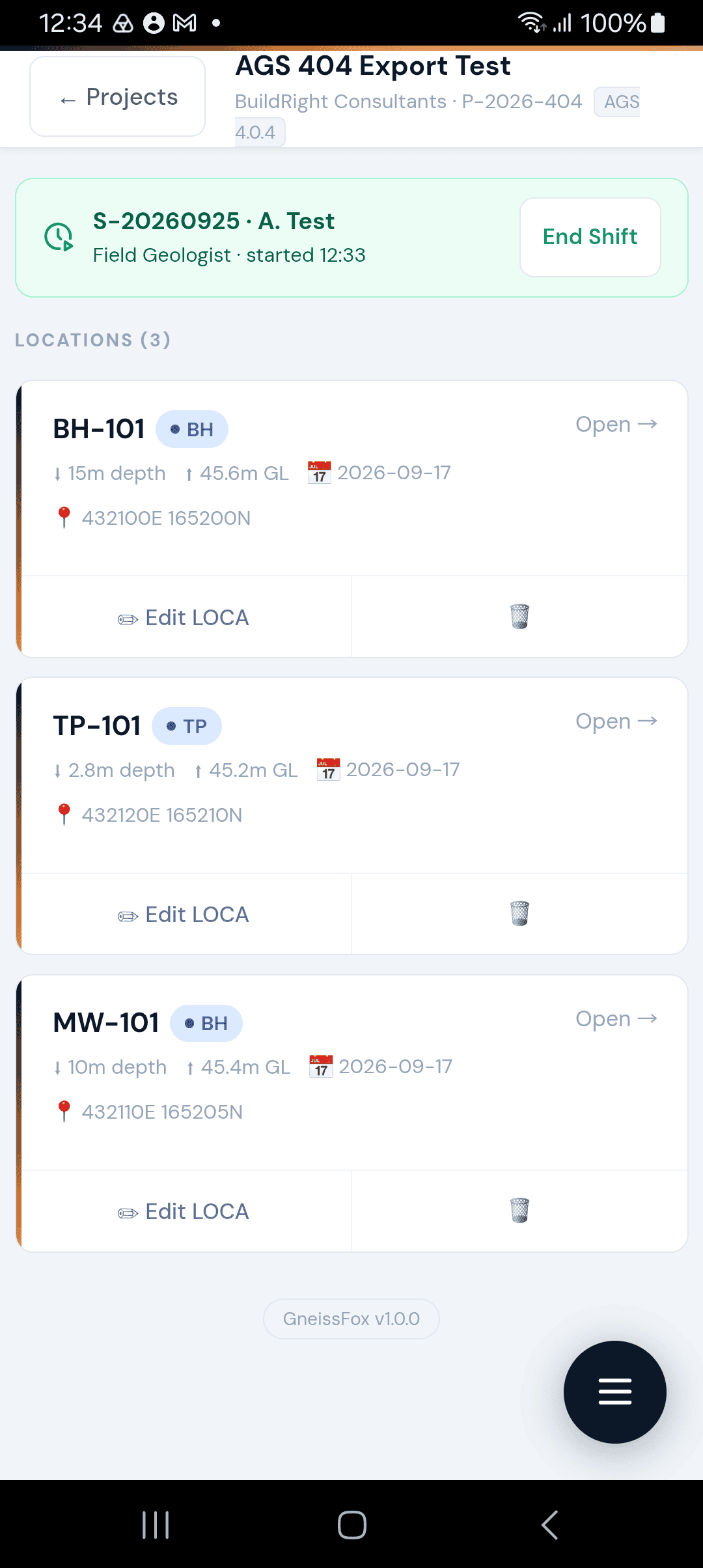
This guide walks through the Location form — what each field means and when to fill it in.
What is a Location?
In AGS 4.1.1 terms, a location is a LOCA record. It describes where investigative work is taking place — the hole ID, its position, type, and status.
You create a location once, then all subsequent data (geology, samples, tests, drill runs) is tied to that location ID.
The Location Form Tabs
The form is divided into five tabs to keep things manageable. You don't need to complete every tab — start with Identity & Depth and fill in coordinates when you have them.
Item | Description |
|---|---|
Identity & Depth | The essentials: hole ID, type, dates, depths, and purpose. |
National Grid | Easting, Northing, and OSGB grid references. |
Lat / Lon | Latitude and longitude in WGS84 or other projections. |
Local Grid | Site-specific coordinate systems. |
Other | Alignment data (road/rail), site grouping, and original references. |
Identity & Depth Tab
Location ID
A unique identifier for this location within the project (e.g. BH01, TP03, WS05). This is a required field and must not duplicate any existing location in the project. The ID is automatically converted to uppercase when saved.
Location Type
Select the type of exploratory hole or activity from the AGS standard list. Common types include:
BH — Borehole
TP — Trial Pit
WS — Window Sample
CP — Cone Penetration Test
DP — Dynamic Probe
RC — Rotary Core
HA — Hand Auger
This is required and determines how the location appears on your records.
Status
The current status of work at this location. Defaults to PRELIM (Preliminary). Other options include FINAL, APPROVED, etc. Update this as the investigation progresses.
Survey Method
How the location's position was determined. Options include:
GPS — Standard GPS
dGPS — Differential GPS (higher accuracy)
GNSS — Global Navigation Satellite System
Total Station — surveyor instrument
Scaled from plan — estimated from a map
Tape measure — measured from a known point
Start Date
The date work began at this location, in dd/mm/yyyy format. Defaults to today's date. This is required.
End Date
The date work was completed at this location. Leave blank until the hole is finished.
Ground Level
The ground level at this location in metres, relative to the datum (usually Ordnance Datum Newlyn). This is used to convert between depths and levels on your logs.
Final Depth
The total depth reached at this location in metres. Update this when the hole is complete.
Purpose
A free-text description of why this location exists — e.g. 'Geotechnical investigation for proposed foundations'. Optional but useful for the final report.
Reason for Termination
Why work stopped at this location — e.g. 'Target depth reached', 'Refusal on hard rock', 'Obstructed by services'. Fill this in when the hole is complete.
General Remarks
Any other notes about this location.
National Grid Tab
For UK sites using the Ordnance Survey National Grid:
Easting and Northing
The six or seven-figure grid coordinates in metres (e.g. Easting: 523145.00, Northing: 178456.12).
Grid Reference System
Defaults to OSGB (Ordnance Survey Great Britain). Other options include Irish Grid and Channel Islands grids.
OSGB Letter Reference
The alphanumeric grid reference (e.g. TQ231784). This is the traditional map reference format.
National Datum
Defaults to 'OD Newlyn' — Ordnance Datum at Newlyn, Cornwall. This is the standard vertical datum for the UK.
Lat / Lon Tab
For GPS-derived coordinates:
Latitude and Longitude
Enter in degrees:minutes:seconds format (e.g. 51:28:52.498 for latitude, -0:10:34.23 for longitude).
Projection Format
The coordinate reference system. Defaults to WGS84 (used by GPS). Other options include ETRS89 and OSGB36.
Local Grid Tab
For sites that use a local coordinate system (common on large projects with their own survey grid):
Item | Description |
|---|---|
Local X / Y / Z | Coordinates in the local system, in metres. |
Local Grid Reference System | Name of the local grid (e.g. 'London grid 1'). |
Local Datum | The vertical datum for the local system. |
Other Tab
Additional fields for specific project types:
Site Grouping
Item | Description |
|---|---|
Site Sub-division | E.g. 'Sub-station 1', 'Plot 4A'. |
Investigation Phase | E.g. 'Phase 2a', 'Supplementary'. |
Alignment (Road / Rail)
For linear projects:
Item | Description |
|---|---|
Alignment ID | The route or alignment reference. |
Offset | Distance from the alignment centreline in metres. |
Chainage | Position along the alignment (e.g. 500+123.23). |
Original Reference
If this location was previously investigated by another company:
Item | Description |
|---|---|
Original Hole ID | The ID used in the original investigation. |
Original Job Reference | The original project reference. |
Originating Company | Who carried out the original work. |
Adding Records & the Depth Log
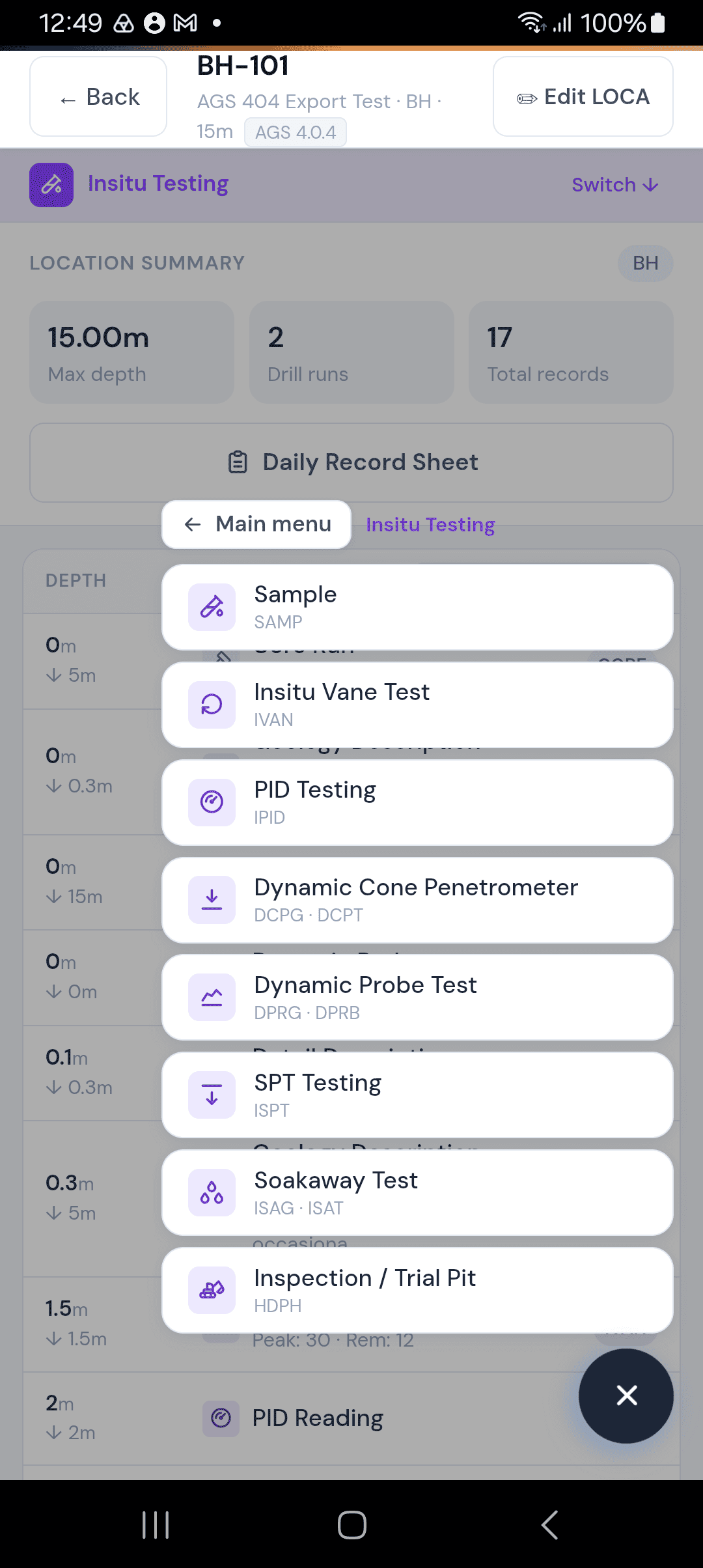
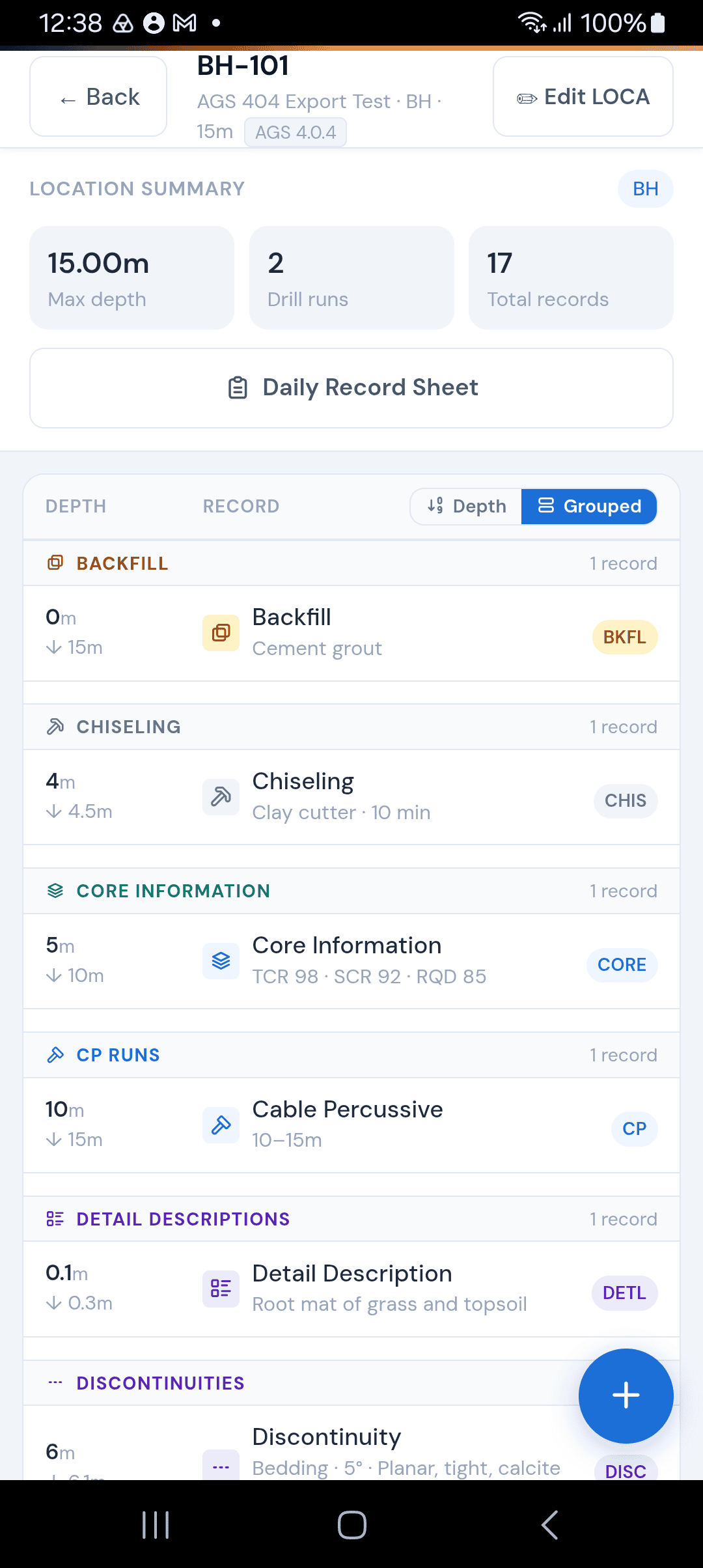
Once a location is created, tap it to open the location detail screen. From here you can add records — geology, samples, drill runs, in-situ tests — using the Add Record menu. The menu is organised into categories such as Engineering Geology, In-Situ Testing, Rotary Drilling, and CP Drilling.
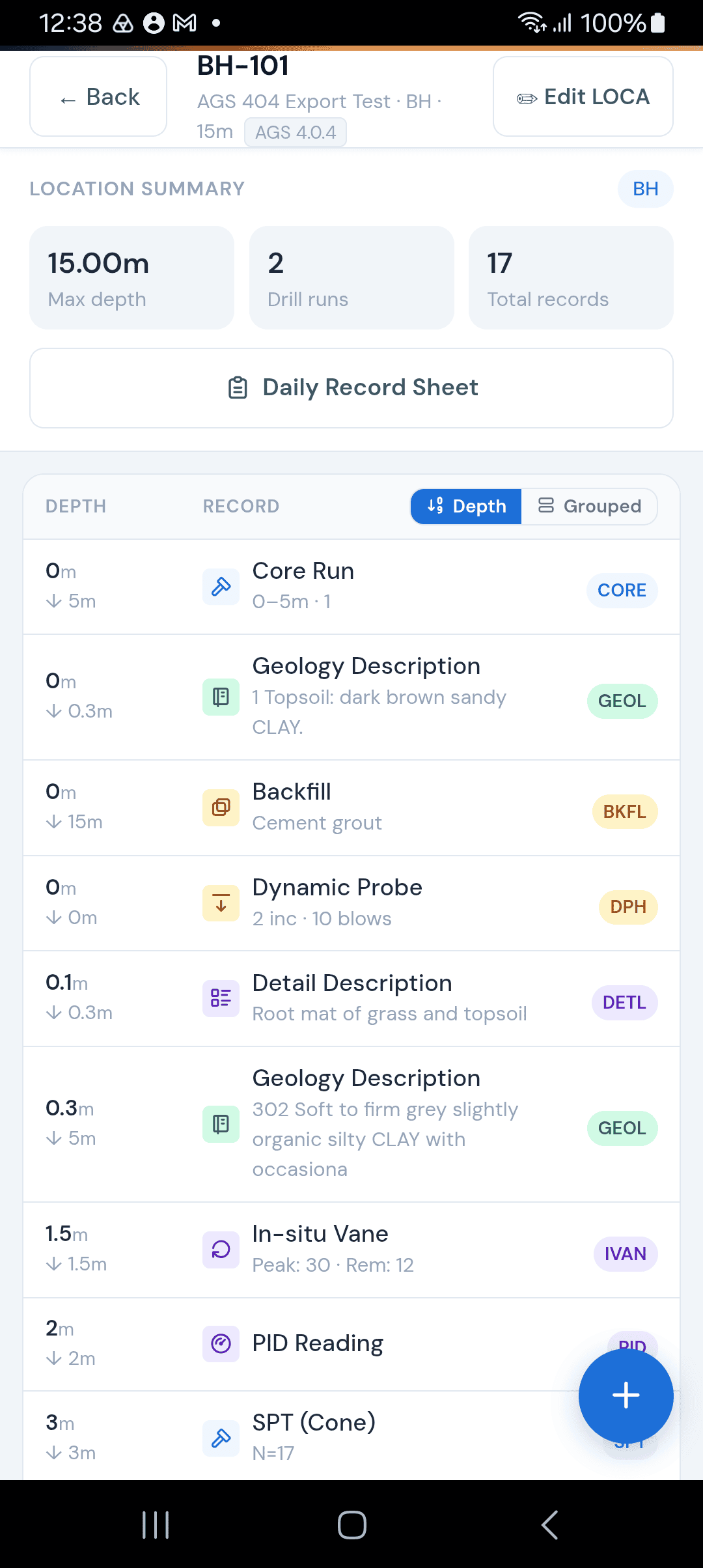
As you add records, the Depth Log builds automatically — a chronological summary of everything recorded at this location. You can view it sorted by depth or grouped by record type.
Tips
You only need to fill in the Identity & Depth tab to create a location. Coordinates can be added later when survey data arrives.
Location IDs are unique per project — you can reuse IDs across different projects.
Ground Level is important if you want depth-to-level conversions on your logs.
The Status field helps track which locations are preliminary vs. finalised for reporting.


Comments