
Backfill & Installations

Updated: Sep 25
At the end of a borehole or trial pit, you need to record what went back in. This article covers two forms: Backfill (what material was used to fill the hole) and Monitoring Installations (standpipes, piezometers, and other instruments left in place).
Backfill (BKFL)
The Backfill form records each layer of material placed in the borehole or pit as it's filled in. You build the record from the bottom up — each layer sits on top of the last.
The Backfill Form
Depth Base (BKFL_BASE)
The bottom of this backfill layer, in metres. When adding a new layer, this auto-fills from the previous layer's top — so layers stack automatically.
Depth Top (BKFL_TOP)
The top of this backfill layer, in metres. Required. The form auto-calculates the layer thickness.
Material (BKFL_LEG)
Select the backfill material from a searchable dropdown. Common options include arisings (the material that came out of the hole), bentonite, cement-bentonite grout, pea gravel, and concrete. Required.
Description (BKFL_DESC)
A free-text description of the backfill, e.g. 'Arisings backfilled in layers'. Optional.
Remarks
Any additional notes. Optional.
Save & Add Another Layer
This button saves the current layer and immediately opens a new form with the base depth pre-filled to continue building the backfill record upwards.
A 'Last saved layer' banner shows what you entered previously, so you can see the backfill building up.
Monitoring Installations (MONG + PIPE)
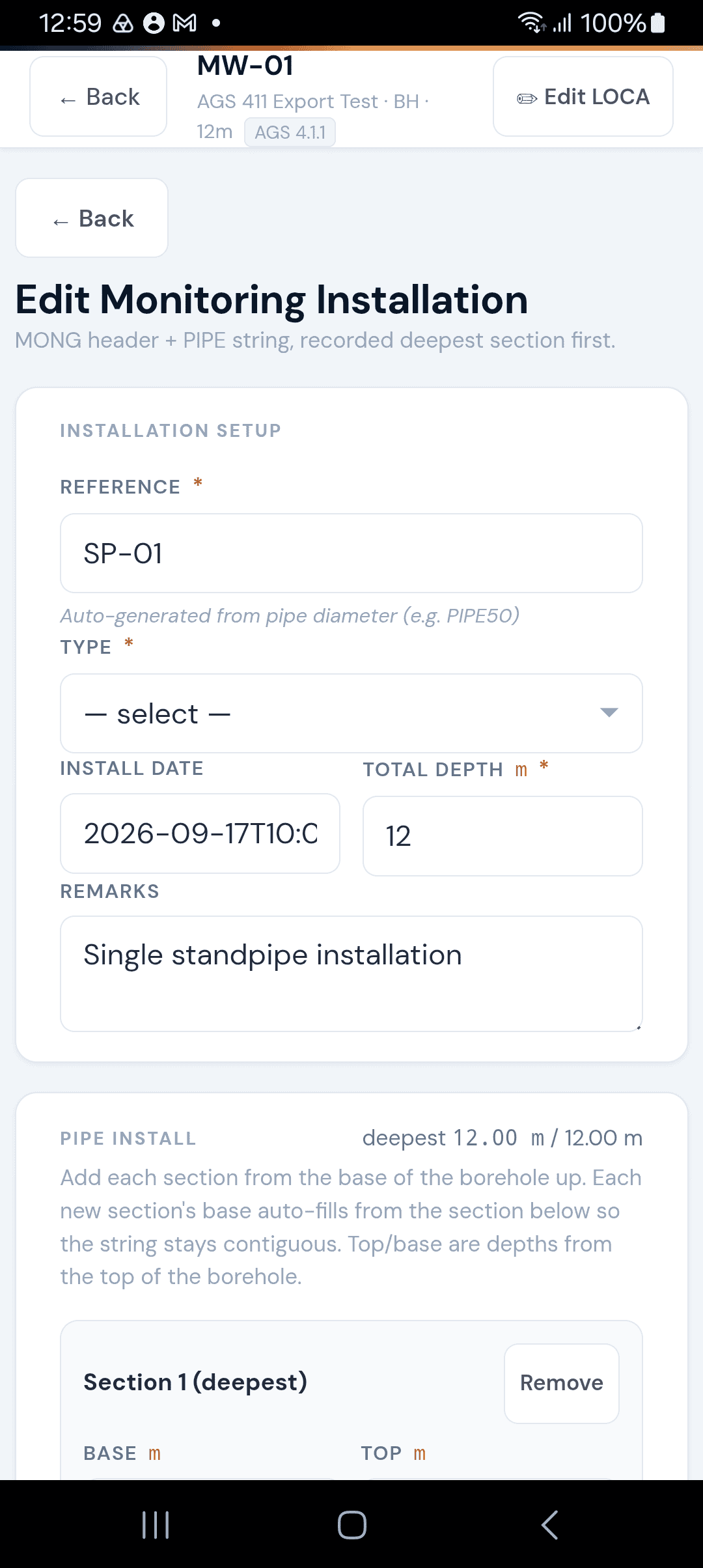
When instruments are left in the borehole — standpipes, piezometers, inclinometers, or gas monitoring wells — the Monitoring Installation form records the full pipe string from bottom to top.
Installation Setup
Item | Description |
|---|---|
Reference | Auto-generated from the pipe diameter (e.g. PIPE50). Read-only. If the same reference already exists at this location, a suffix is added automatically. |
Type | The installation type (standpipe, piezometer, inclinometer, etc.). Required. |
Install Date | When the installation was completed. |
Total Depth | The full depth of the installation in metres. Required. |
Remarks | Any notes. |
Pipe String (PIPE)
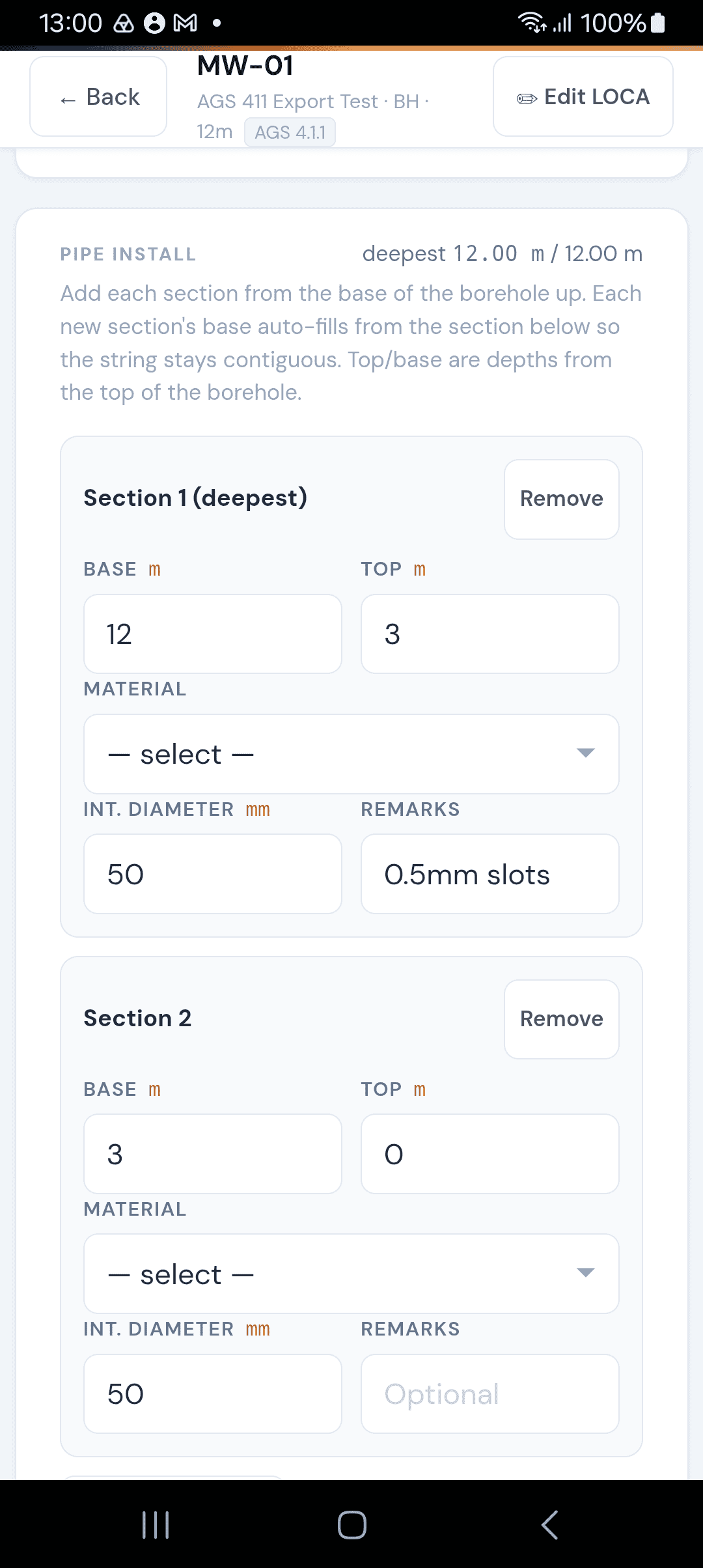
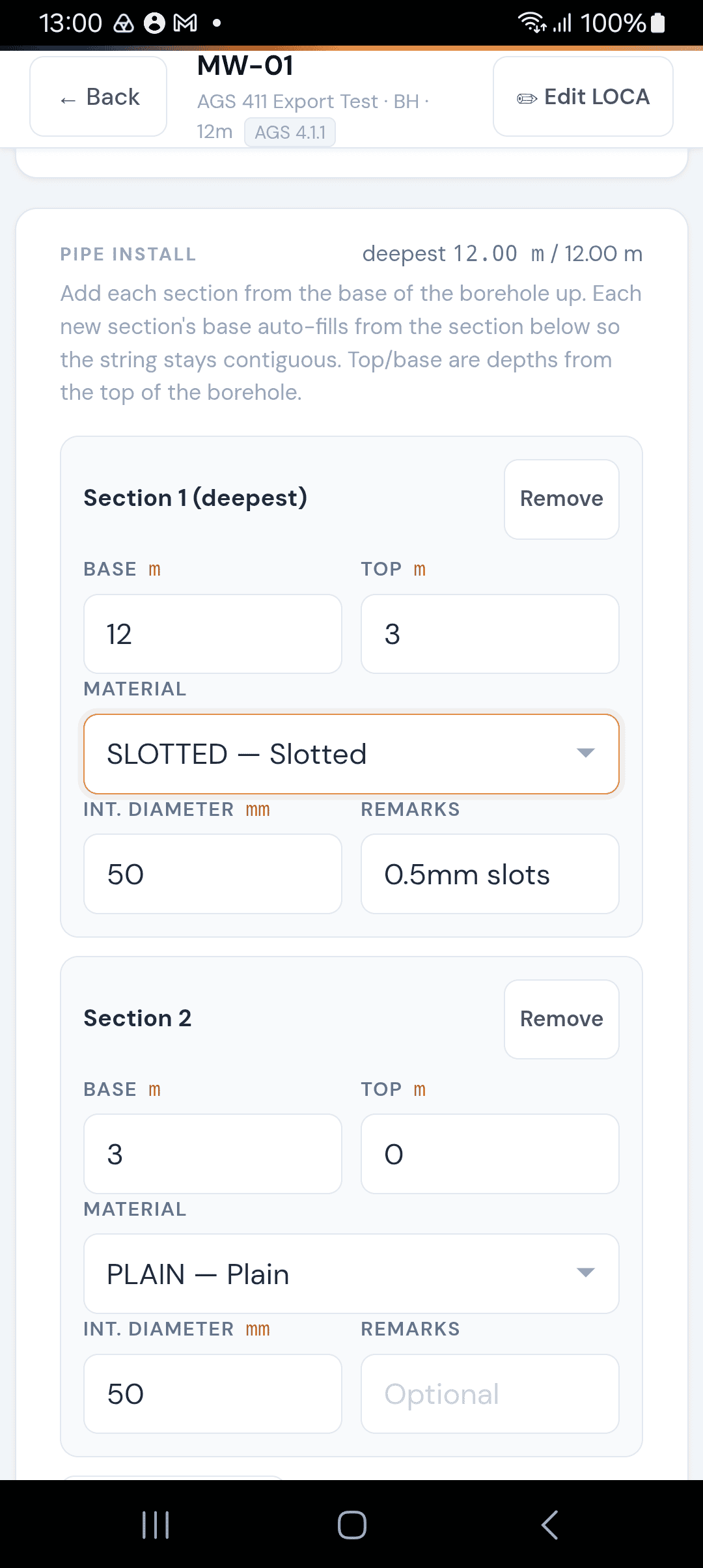
The pipe string is built deepest section first. Each section records:
Item | Description |
|---|---|
Base / Top | Depth interval of this pipe section in metres. Each section's top must match the next section's base, so the string is contiguous. |
Material | The pipe type (plain casing, slotted/response pipe, cap, plug, etc.). |
Internal Diameter | Pipe diameter in mm. |
Remarks | Per-section notes. |
The form validates that:
The deepest section reaches the installation total depth.
The shallowest section reaches ground level (0 m).
Sections connect without gaps or overlaps.
Tap + Add section to add the next section above the last one. The base depth auto-fills from the previous section's top.
Tips
For backfill: use 'Save & Add Another Layer' to build the record quickly without leaving the form.
For installations: work from the bottom up — start with the cap or sump at the base, then slotted pipe, then plain casing to ground level.
The installation reference is auto-generated from the pipe diameter — make sure at least one section has a diameter entered.
Check the validation messages before saving — the form ensures your pipe string is complete and contiguous.


Comments